info@realprogramming.com
(877) 307-3456

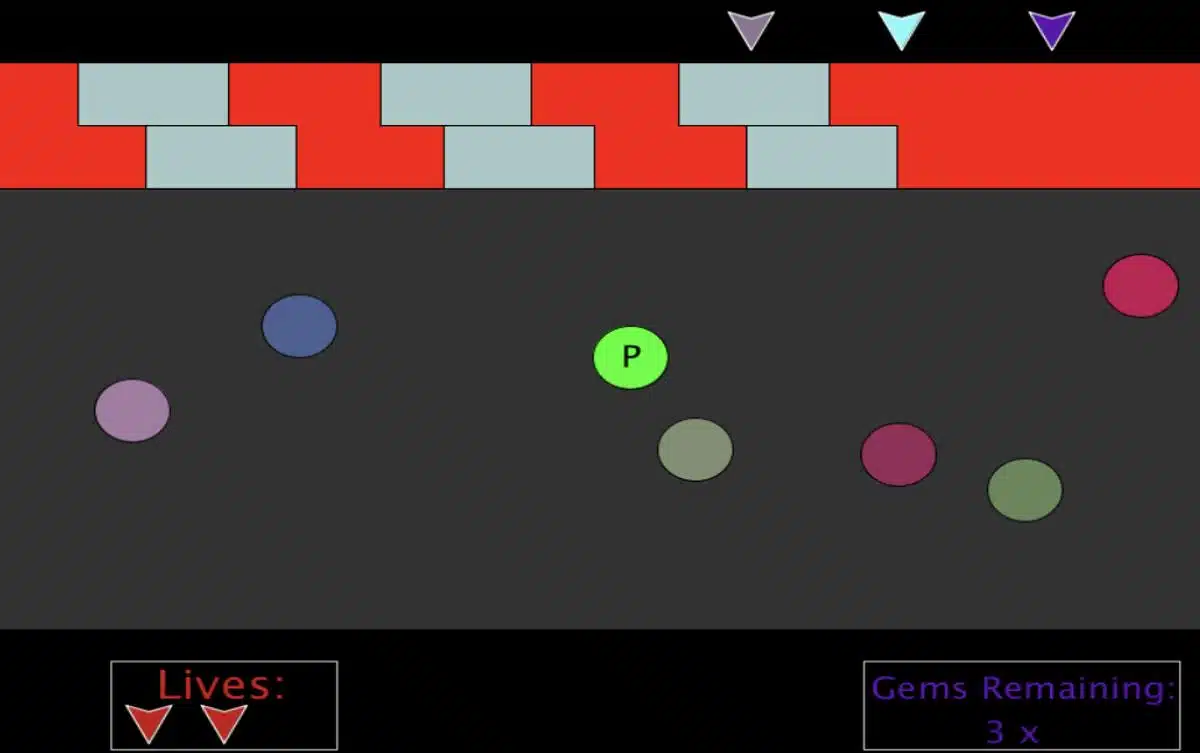
Throughout the course, students build their own version of a top-down platformer where players navigate obstacle-filled environments while collecting gems and avoiding hazards.
Using the Processing development environment with Python mode, students learn how coding logic, mathematics, and interactive systems work together to create playable games. The online coding course is designed for beginner programmers and focuses on helping students develop confidence while learning structured programming workflows.
Students explore foundational programming concepts such as variables, functions, loops, lists, classes, object-oriented programming, and rendering systems. They also learn how to debug code, organize projects, and break large programming problems into smaller manageable systems.
The course additionally reinforces mathematical and logical thinking through topics such as collision detection, random number generation, coordinate systems, and introductory trigonometry concepts. Students develop problem-solving skills while gaining experience building a complete interactive game project from start to finish.
By the end of the course, students will have created a fully playable Python game while building a strong foundation in beginner programming and game development concepts.

Students learn foundational Python programming concepts while developing gameplay systems throughout the course.
Topics include:
Students are introduced to beginner object-oriented programming concepts while building reusable game systems.
Topics include:

The course reinforces mathematical thinking and logical reasoning through gameplay programming challenges.
Topics include:
Students work within the Processing environment while learning how programming projects are organized and debugged.
Topics include:

| Lesson | Topic |
|---|---|
| Lesson 1 | Screen Setup & Keypress Events |
| Lesson 2 | Player Class, Player Object Creation & Global Variables |
| Lesson 3 | Rendering Order of Game World |
| Lesson 4 | Trap Class, Trap Object Creation & Trap Rendering |
| Lesson 5 | Trap Circle Collision & Math Logic |
| Lesson 6 | Multiple Trap Creation, For Loops & Lists |
| Lesson 7 | Reworking Movement Controls & Improve Trap Spawn Intervals |
| Lesson 8 | Gem Creation, Gem Collision & Complex Parameter Usage |
| Lesson 9 | Resetting Game State if Win or Lose |

Students participate in live virtual sessions through Zoom, where instructors guide them step-by-step through the game development process and programming concepts.
Classes are intentionally kept small, with a maximum of four students per instructor, allowing students to receive personalized support and direct feedback while coding. Sessions typically run 1–2 hours once per week at a scheduled time.
Students also receive access to additional learning resources including quizzes, assignments, discussions, and previous class recordings. These materials help reinforce concepts outside of scheduled class time and allow students to continue experimenting with their projects independently.
Installation must be completed before the course begins.
Students should ensure the following tools are installed before the first class:
Students should follow the installation guide provided prior to class. If assistance is needed, the RP4K team can be contacted at info@realprogramming.com
Students receive access to additional learning resources through the Real Programming 4 Kids platform, including recordings, assignments, quizzes, and supplementary course material.
These resources allow students to review lessons, continue improving their projects, and reinforce programming concepts outside of scheduled class time.

